Selene, the AI analyst
Selene answers questions about your real-user data in plain language. Ask what you want to know, and Selene runs read-only queries over your RUM data and replies with charts and a written explanation. No SQL, no dashboard hunting.
What Selene does #
You type a question. Selene picks the right tables, writes the query, runs it against the analytics store, and turns the result into an answer: a short narrative plus, when it helps, a chart. It can chain several queries in one turn, so a follow-up like "now split that by country" works without starting over.
Every query Selene runs is:
- Read-only. Selene runs inside a hardened, select-only harness. It can read data, never change it.
- Scoped to your tenant. Each query is forced to your tenant's apps, so Selene can never see another tenant's data.
- Recorded. The generated SQL, row count and timing of every query is written to an audit log you can review (see Cost & transparency).
Using Selene #
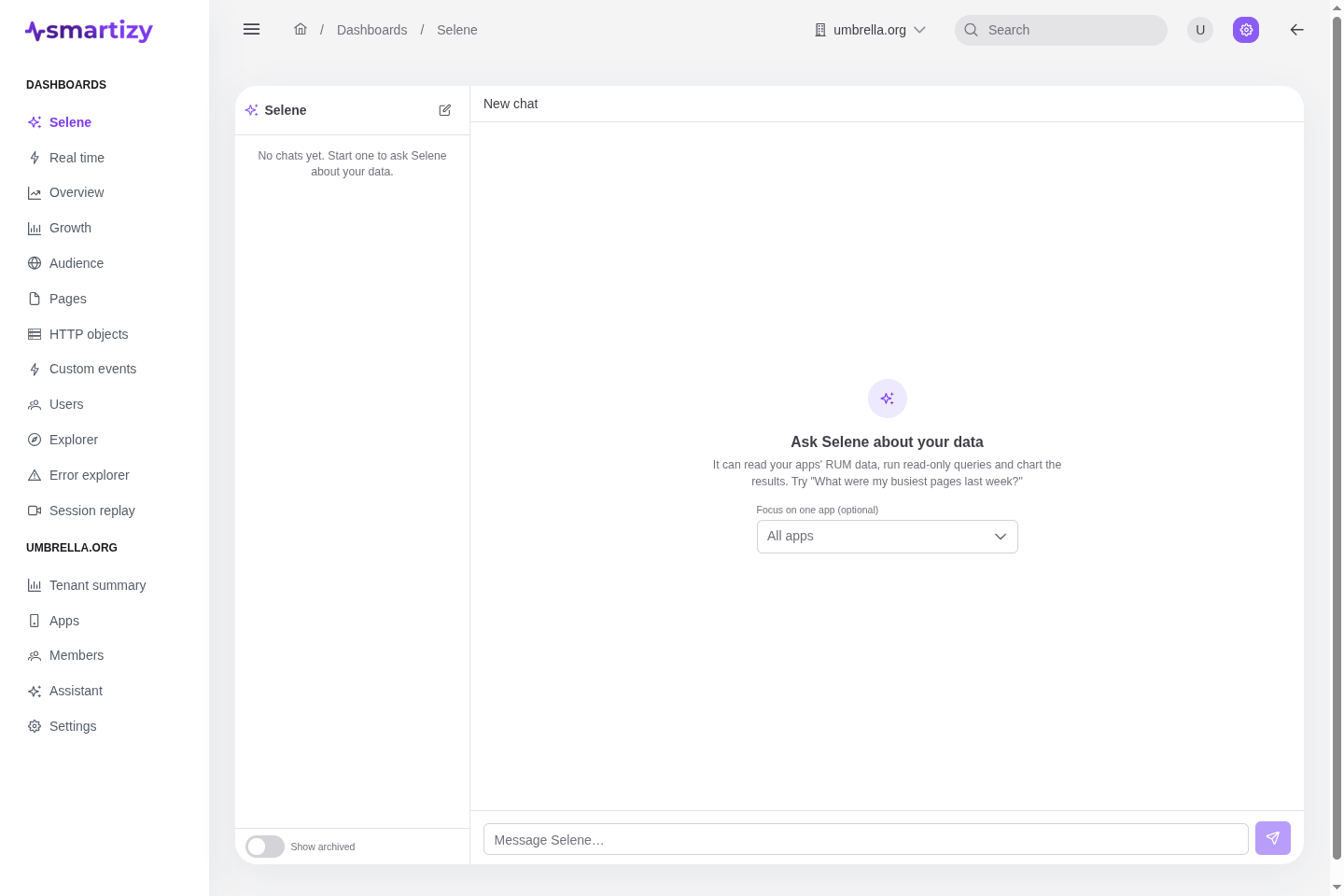
Selene lives in its own workspace, alongside the dashboards. It works against the current tenant, the one selected in the top bar.
- New chat. Start a fresh thread for a new line of inquiry. Each thread keeps its own context, so the model can build on the earlier turns in that chat.
- History. Your past chats are listed newest-first in a side rail. Chats are private to you within the tenant; another member cannot see yours, and you cannot see theirs.
- Focus on one app. Optionally pin a chat to a single app when you create it, so every question is answered for that app without you naming it each time. Leave it unset to ask across the whole tenant.
You can rename a chat, archive it, or delete it from the same rail.
Example prompts #
Selene is good at the questions you would otherwise build a dashboard or write SQL for:
- "What was the p75 LCP on the checkout page over the last 7 days, and how does it compare to the week before?"
- "Which countries have the highest bounce rate this month?"
- "Show me the top 10 errors by users affected since the last release."
- "How many add_to_cart events did identified users fire yesterday, split by variant?"
- "Which third-party hosts are slowest by p95 request duration?"
Set up Selene #
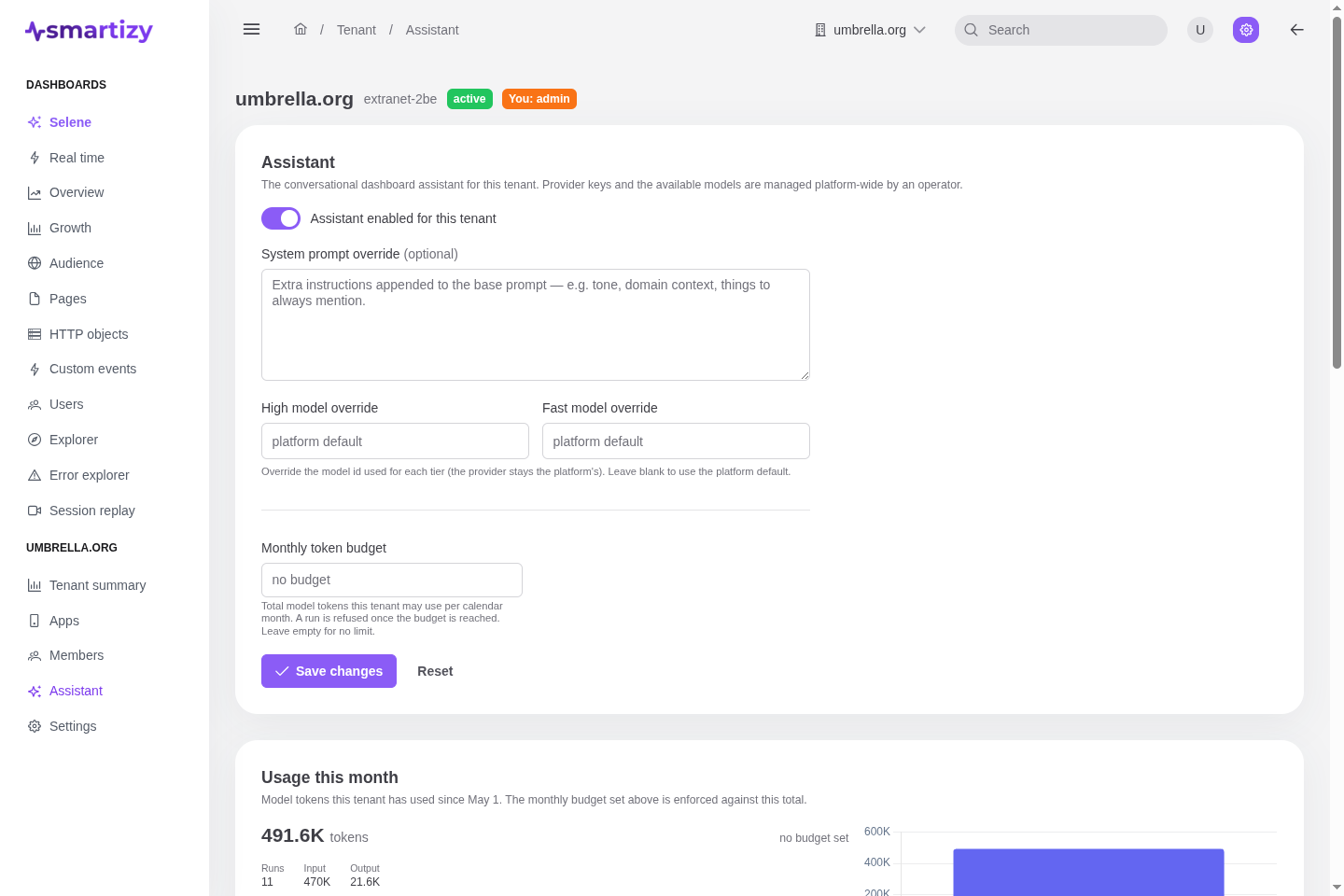
Selene is configured per tenant under the tenant's Assistant settings. You need the Admin role to change them. A platform superadmin first provisions the underlying LLM providers and model tiers (see Platform administration); tenant admins then tune the behavior and spend.
| Setting | What it controls |
|---|---|
| Enable | The master switch. When off, Selene is unavailable for the tenant and runs are refused. |
| System-prompt override | Optional extra instructions appended to Selene's base prompt: house terminology, the metrics you care about, default time windows. Up to 8,000 characters. |
| High model override | Optional model id to use for the main reasoning tier, overriding the platform default for this tenant. |
| Fast model override | Optional model id for the lighter tier, overriding the platform default for this tenant. |
| Monthly token budget | A ceiling on tokens consumed per calendar month. When the tenant reaches it, runs are refused with a clear message until the budget resets at the start of the next month. Leave it unset for no budget cap. |
Cost & transparency #
Two views keep Selene's cost and behavior visible.
Usage this month
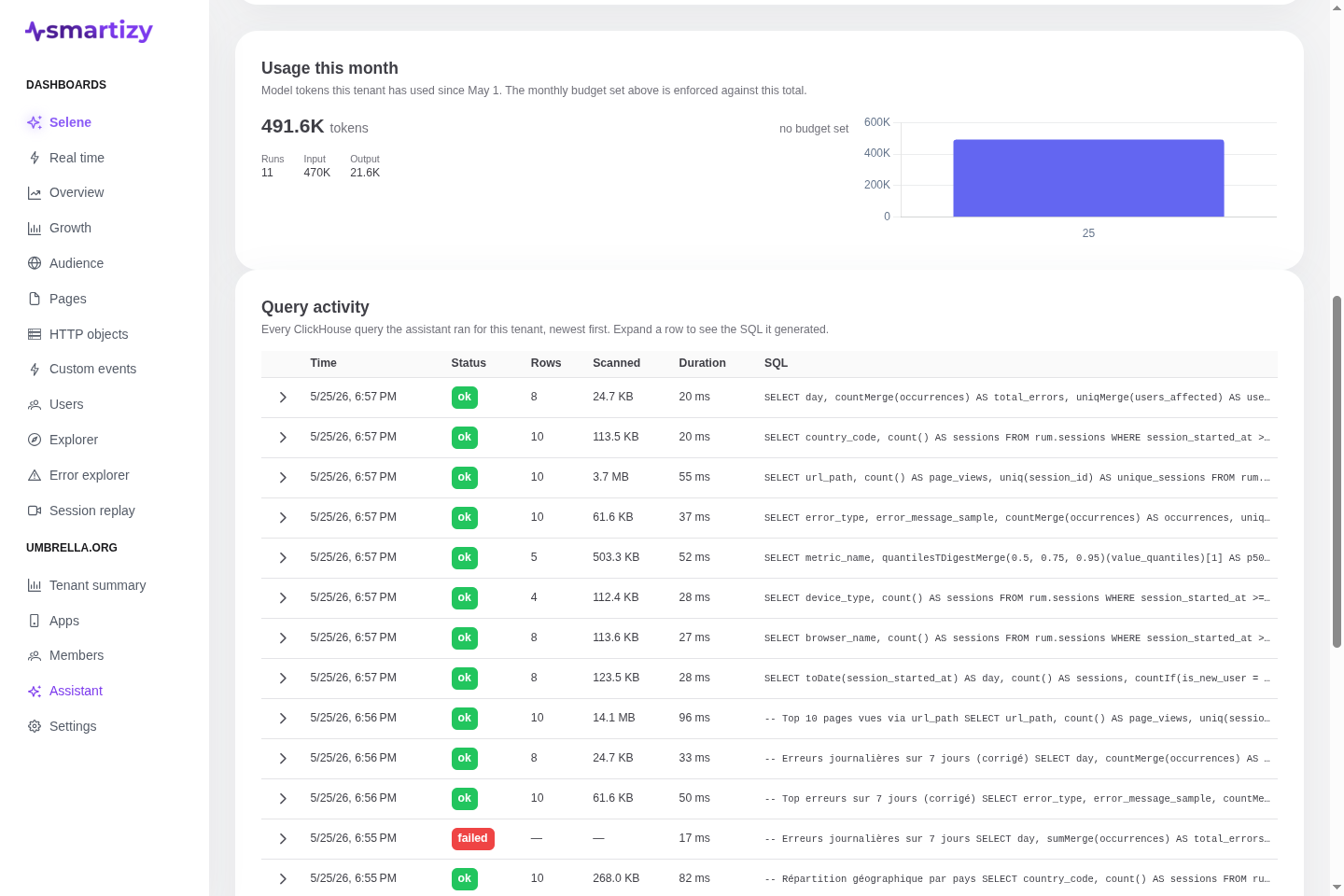
The usage view shows month-to-date token spend against the budget: total tokens used, the input and output split, the number of runs, and a per-day breakdown. Any tenant viewer can read it, so the whole team can see where the budget stands before it runs out.
Query activity audit
The query-activity log records every query Selene ran for the tenant, newest-first, each with the generated SQL, its status, the rows returned, bytes read, duration, and any error. It is the full receipt for what Selene touched. Because the SQL can reveal the shape of your data, this view is Admin-only.