Quickstart
Get a live view of your real users' experience in about five minutes. You create an app, paste one snippet into your site, and watch events arrive. No build step, no SDK to install, no CDN to configure.
Smartizy collects performance, errors, and journeys from real browsers and turns them into dashboards. This page covers the fastest path: the hosted service. If you run your own backend, see Self-host the stack first, then come back here for the embed.
Before you start #
You need two things:
- Access to a Smartizy tenant, with the Admin role so you can create an app.
- The ability to edit the HTML
<head>of the site you want to measure.
Create an app #
An app is one site or product you measure. Events are attributed to its appId,
a short immutable slug you choose now.
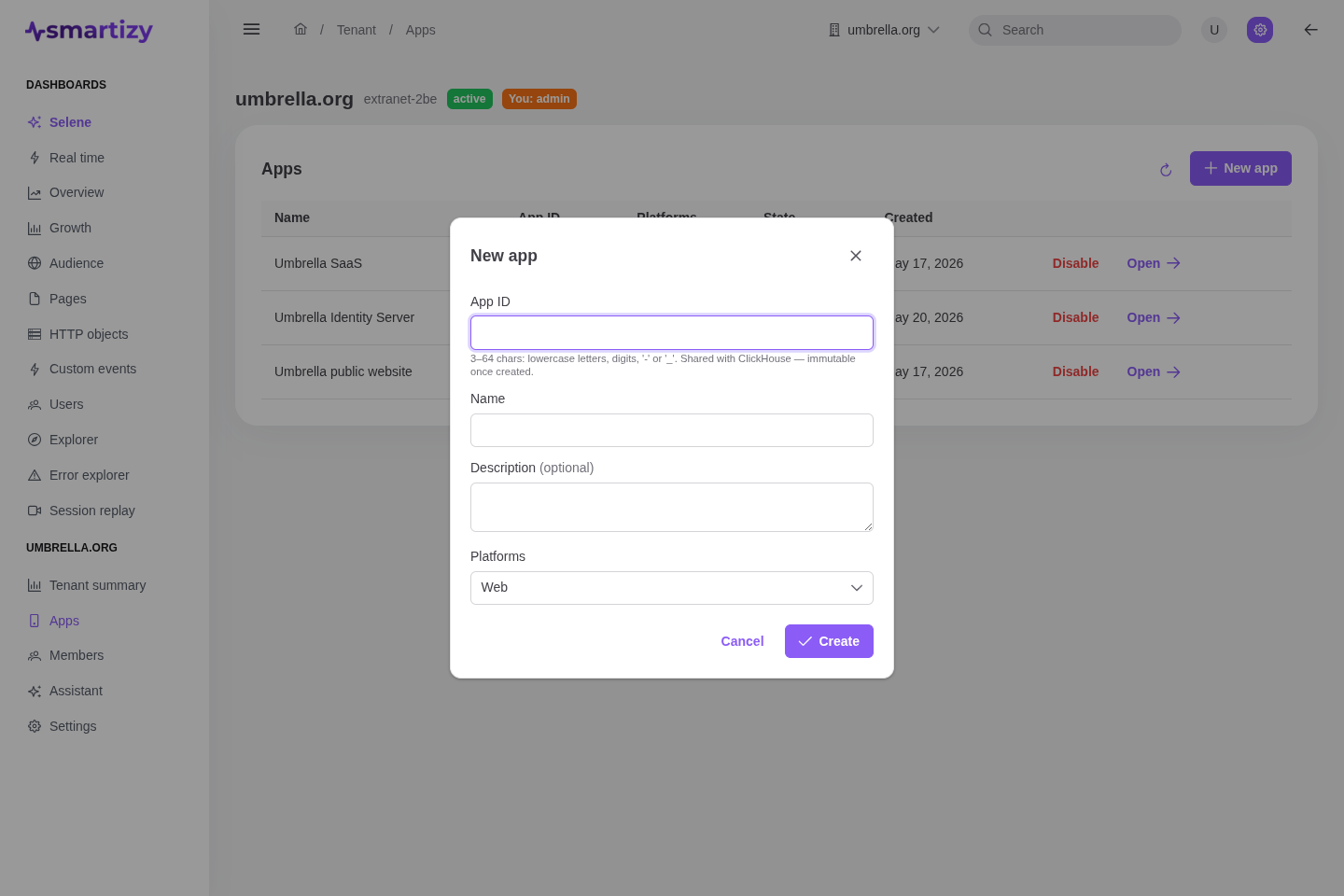
- Open the console and go to Apps in your tenant.
- Click New app, give it a name (for example
Storefront) and anappId(for examplestorefront). - Keep the Web platform enabled and save.
Add the snippet #
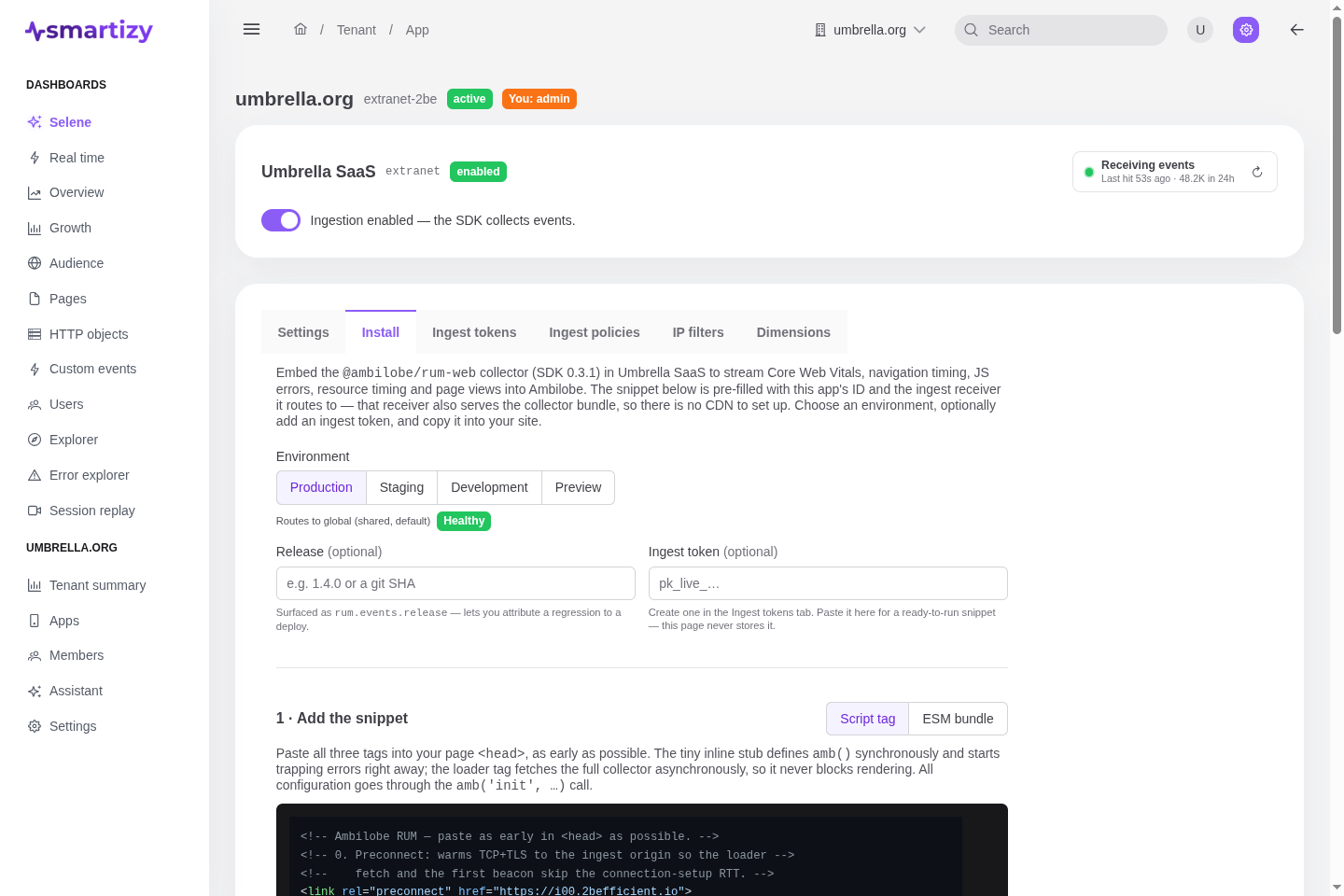
Open your app and select the Install tab. Choose the Production
environment. The console builds a snippet that already has your appId and ingest
endpoint filled in. Copy it.
The snippet is three small <script> tags. Paste them as early in your <head> as you can:
<!-- Paste as early in <head> as possible. -->
<link rel="preconnect" href="https://rum-ingest.example.com">
<script>
!function(w){if(w.amb)return;var q=[],e=[];function amb(){q.push([].slice.call(arguments))}
amb.q=q;amb.eq=e;amb.l=+new Date();amb.v='0.3.1';w.amb=amb;function cap(x){e.length<33&&e.push(x)}
try{w.addEventListener('error',function(v){cap({k:'error',m:v&&v.message,s:v&&v.filename,l:v&&v.lineno,c:v&&v.colno,st:v&&v.error&&v.error.stack,t:+new Date()})},true);
w.addEventListener('unhandledrejection',function(v){var r=v&&v.reason;cap({k:'rejection',m:r&&(r.message||String(r)),st:r&&r.stack,t:+new Date()})})}catch(_){}}(window);
</script>
<script src="https://rum-ingest.example.com/v1/rum/ambilobe-rum.min.js" async></script>
<script>
  amb('init', {
    appId: 'storefront',
    environment: 'production',
    endpoint: 'https://rum-ingest.example.com/v1/events',
    defaultConsent: 'granted'
  });
</script>That is the whole integration. The snippet auto-collects Core Web Vitals, page views, navigation timing, and unhandled errors with no extra code.
Confirm events arrive #
Load the instrumented page in a browser. Within a few seconds the app header in the console shows a live Receiving events badge with the time of the last beacon.

For a live, per-visitor view open the Real time dashboard.
To force an event while testing, call amb() from the browser console:
// Run in your browser console on the page you instrumented.
// The collector emits an 'agent_loaded' event on first load.
amb('event', 'smoke_test', { value: 1 });Next steps #
You are collecting data. Now make it richer and start reading it:
- Identify users to tie sessions to real accounts.
- Track custom events for conversions and key actions.
- Wire up consent if you gate analytics behind a cookie banner.
- Read the Overview dashboard to see performance, errors, and audience at a glance.