Privacy & compliance
You decide what is collected, from whom, how it is stored, and for how long. This page gathers every privacy control in one place so you can set a posture that fits your jurisdiction and audience.
The consent model #
Collection is gated on a consent state with three values. You set a default at init and relay your cookie banner or consent platform decision at runtime.
| State | Behavior |
|---|---|
granted | Collect and send immediately. |
denied | Collect nothing until an explicit grant. |
pending | Keep measuring but buffer events in memory until a choice is made, then flush. Nothing leaves the browser while pending. |
The defaultConsent option on amb('init', ...) sets the starting state.
At runtime, amb('consent', 'granted'|'denied'|'pending') overrides it, the call you wire
into your banner. A per-app implicit consent toggle (in the app's Settings tab) can
flip the meaning of pending to "collect by default" for opt-out analytics; an explicit
opt-out still stops collection.
Do Not Track & GPC #
Each app has an Honor Do Not Track / GPC toggle on its Settings tab. When on, a
browser Do Not Track or Global Privacy Control signal forces the consent state to denied,
so a visitor who has expressed that preference is not measured. It is on by default. Turn it off only
if your legal basis does not require honoring those signals.
Client IP handling #
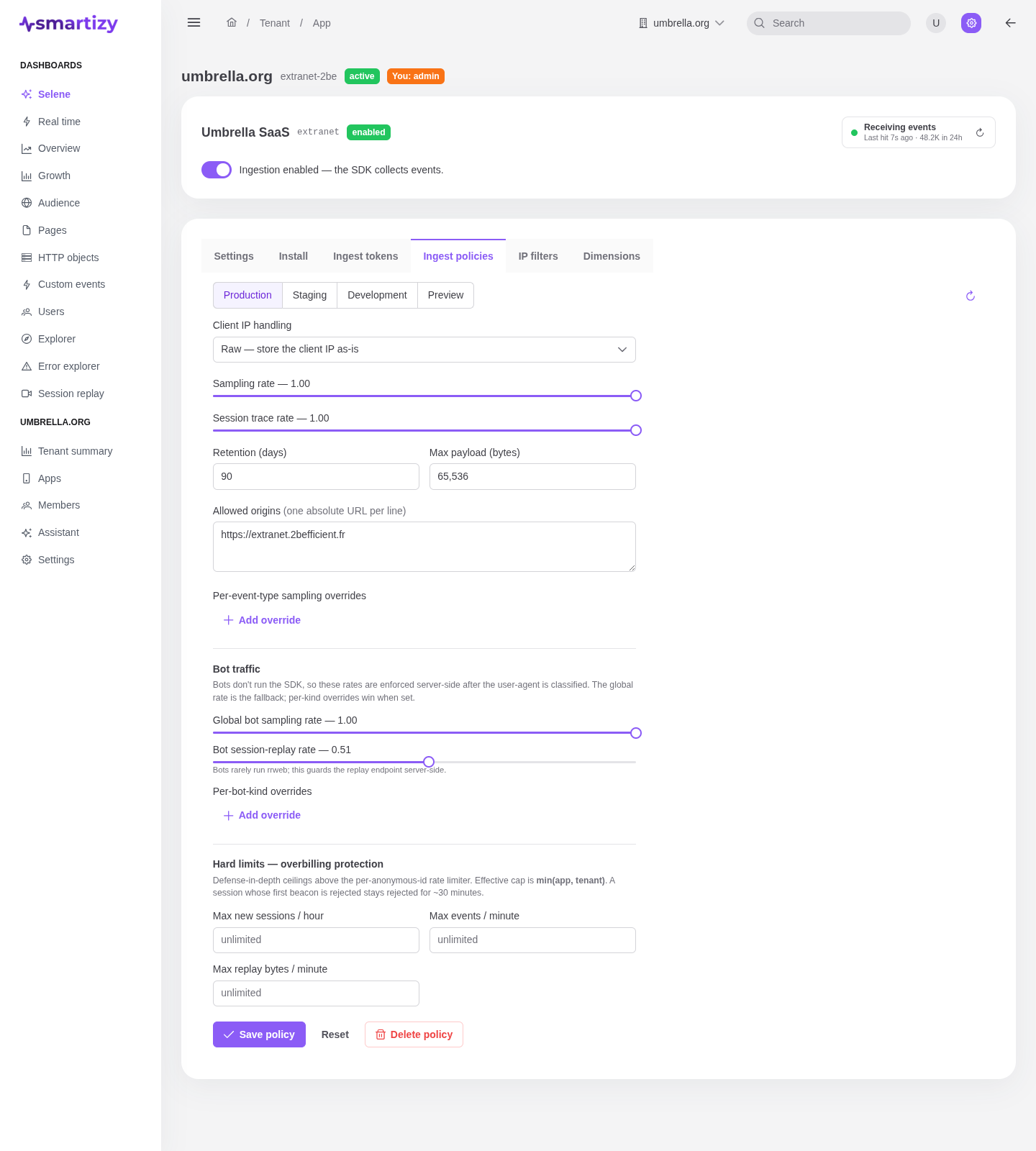
How a beacon's client IP is treated before storage is set per environment in the app's ingest policy. The receiver applies the chosen mode at ingest time, before the row is ever written.
| Mode | What is stored |
|---|---|
| Raw | The client IP as-is. |
| Anonymized | The IP with its last octet dropped. The default. |
| Hashed | A salted SHA-256 of the IP. Requires an IP hash salt, which the policy editor asks for when this mode is chosen. |
| Drop | No IP is stored at all. |
Geography (country, region, city) is derived from the IP at ingest before any anonymise or hash step, so coarse geo still works even when the stored IP is truncated or dropped. A flag on each row records whether the stored IP was anonymised. Set the mode per environment on the app's Policies tab.
PII on custom dimensions #
Custom dimensions are owner-defined keys you attach to events. Each registered dimension can be marked as containing personally identifiable information with a PII flag in the dimension schema. The flag documents which fields are sensitive, so reviewers and operators know what is in the data without having to inspect values. Treat it as the contract: only send into a dimension what its declaration permits.
Data retention #
Raw events expire on a retention window set per environment in the ingest policy, from 1 to 730 days, defaulting to 90. The analytics store enforces it automatically: once an event is older than the window, it is dropped. Aggregated rollups used by the dashboards are kept longer than raw events, so trends survive past the raw window without retaining individual beacons. Set retention per environment on the Policies tab.
Bot handling #
The receiver classifies each beacon's user agent and tags it as a human or a bot kind
(ai, crawler, or other). Bot traffic is sampled server-side at
a rate you set per environment, so automated traffic does not flood your data or your bill, and the
dashboards can separate humans from bots. Configure the rates on the
Policies tab.
IP filters #
IP filters drop beacons from addresses you never want measured, your office, QA, or known bad actors, before anything is stored. A filter rule is a CIDR range, scoped either tenant-wide or to one app, and is matched against the raw client IP. Crucially, the match happens before IP anonymise or hash is applied, so a block-list works exactly even when the policy truncates or hashes IPs. A filtered beacon is acknowledged and silently discarded. Manage the block-list on the IP filters tab.