Install the snippet
The collector ships as a tiny inline stub plus an async loader. There is no build step and nothing renders-blocked. This page explains each tag the console generates, and the ESM alternative for teams that prefer to bundle the collector themselves.
Every URL the snippet needs is derived from one input: the public origin of the ingest receiver your
app routes to. That receiver both accepts beacons (/v1/events) and serves the collector
bundle (/v1/rum/*), so a deployment needs no separate CDN.
The recommended embed #
The default install is three <script> tags for your <head>, plus
a preconnect hint. Paste them as early as possible so the collector starts measuring from
the first paint.
<!-- Paste as early in <head> as possible. -->
<!-- 0. Preconnect: warms TCP+TLS to the ingest origin so the loader -->
<!--    fetch and the first beacon skip the connection-setup RTT. -->
<link rel="preconnect" href="https://rum-ingest.example.com">
<!-- 1. Inline stub: defines amb() synchronously, queues calls, traps boot-time errors. -->
<script>
!function(w){if(w.amb)return;var q=[],e=[];function amb(){q.push([].slice.call(arguments))}
amb.q=q;amb.eq=e;amb.l=+new Date();amb.v='0.3.1';w.amb=amb;function cap(x){e.length<33&&e.push(x)}
try{w.addEventListener('error',function(v){cap({k:'error',m:v&&v.message,s:v&&v.filename,l:v&&v.lineno,c:v&&v.colno,st:v&&v.error&&v.error.stack,t:+new Date()})},true);
w.addEventListener('unhandledrejection',function(v){var r=v&&v.reason;cap({k:'rejection',m:r&&(r.message||String(r)),st:r&&r.stack,t:+new Date()})})}catch(_){}}(window);
</script>
<!-- 2. Async loader: fetched in parallel, never blocks rendering. -->
<script src="https://rum-ingest.example.com/v1/rum/ambilobe-rum.min.js" async></script>
<!-- 3. Configure. amb() already exists, so this queues until the loader drains it. -->
<script>
  amb('init', {
    appId: 'storefront',
    environment: 'production',
    endpoint: 'https://rum-ingest.example.com/v1/events',
    defaultConsent: 'granted'
  });
</script>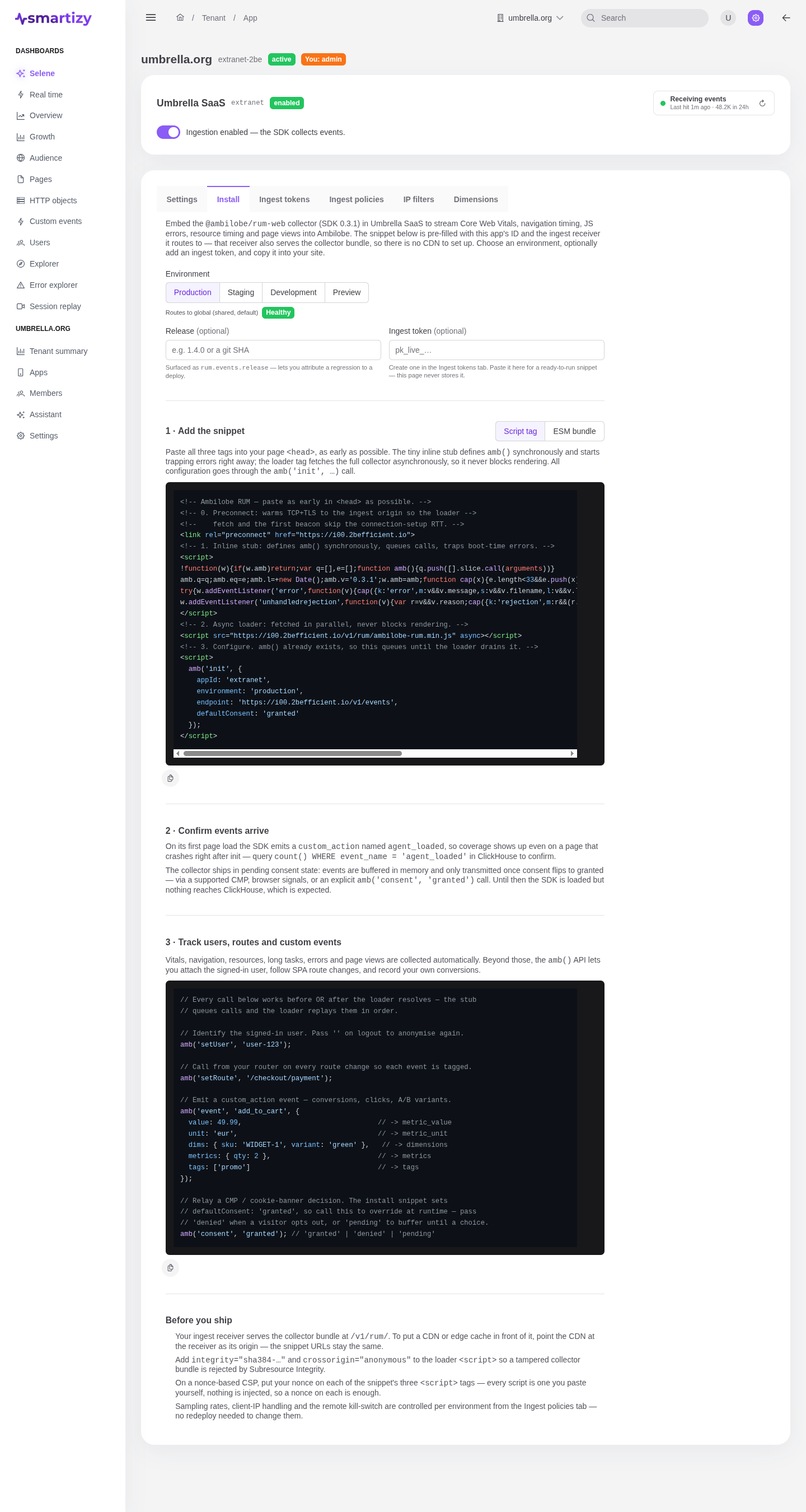
Why three tags #
Each tag does one job, and the ordering matters:
- Preconnect. Warms the TCP and TLS handshake to the ingest origin while the page parses, so the loader fetch and the first beacon skip the connection-setup round trip. It is a hint, not a dependency.
- Inline stub. Defines
window.amb()synchronously as a call queue, so anyamb('init', ...)or runtime call you make queues safely with no race against the loader. It also trapserrorandunhandledrejectioninto a small buffer, so crashes that happen before the loader arrives still survive and get reported once it drains the queue. - Async loader. Fetches the collector bundle in parallel. Because it is
async, it never blocks rendering. When it resolves it replaces the stub with the real dispatcher and replays everything the page queued, in order.
The third <script> is your configuration. It calls amb('init', { ... }).
Since the stub already defined amb(), this call queues immediately and runs the moment the
loader is ready. All configuration, including an optional ingest token, goes through
amb('init'). The loader never reads data-* attributes.
The ESM alternative #
If your app has an asset pipeline, or a nonce-only Content Security Policy that forbids inline scripts,
import the ESM build at your entrypoint instead. The import defines window.amb as a side
effect, so you only need to call amb('init') afterward.
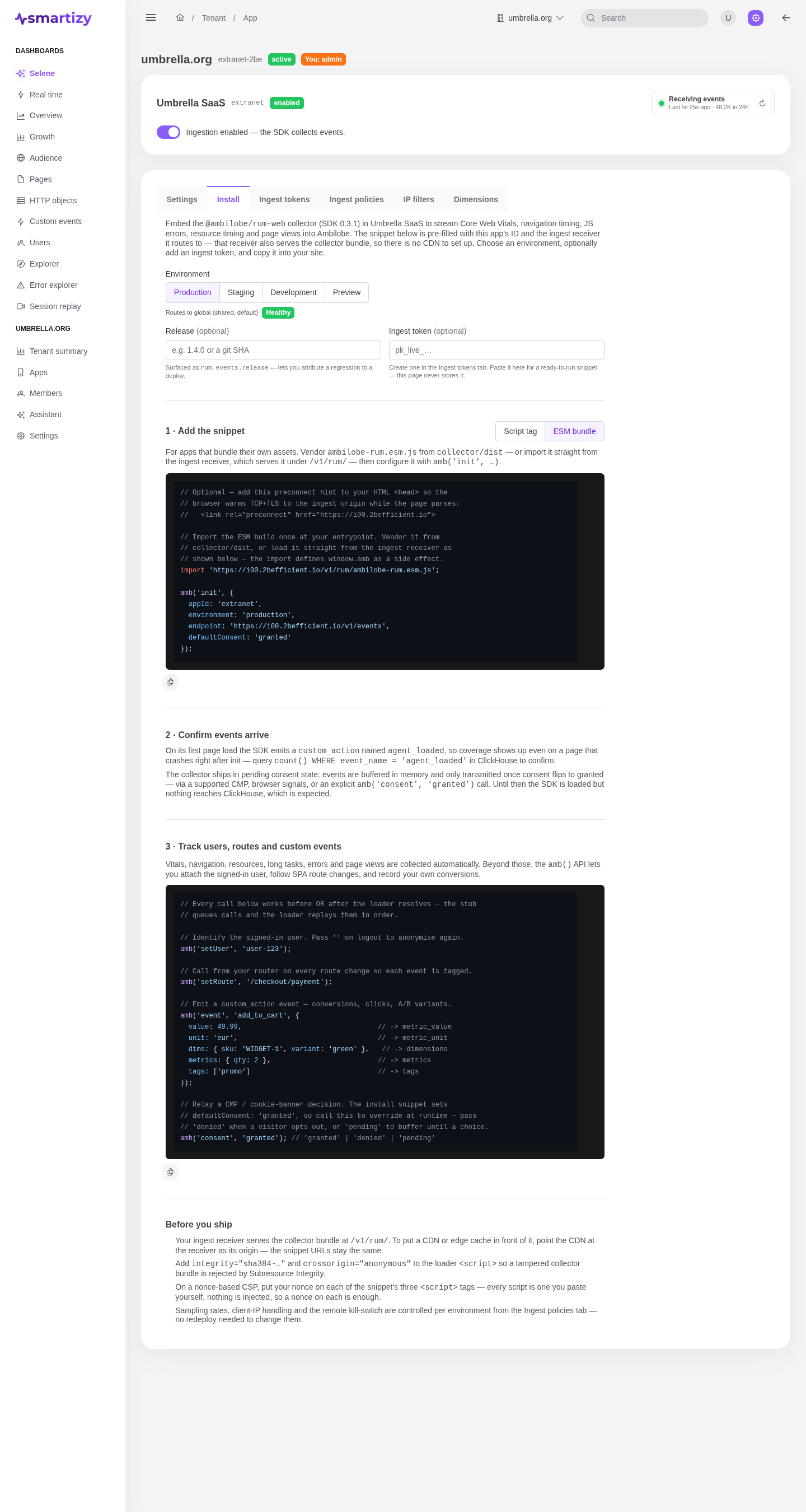
// Optional: add this preconnect hint to your HTML <head> so the
// browser warms TCP+TLS to the ingest origin while the page parses:
//   <link rel="preconnect" href="https://rum-ingest.example.com">

// Import the ESM build once at your entrypoint. Vendor it from your
// asset pipeline, or load it straight from the ingest receiver as
// shown below. The import defines window.amb as a side effect.
import 'https://rum-ingest.example.com/v1/rum/ambilobe-rum.esm.js';

amb('init', {
  appId: 'storefront',
  environment: 'production',
  endpoint: 'https://rum-ingest.example.com/v1/events',
  defaultConsent: 'granted'
});
Where to get the real snippet #
The snippets above show the shape. Do not copy them verbatim. Open your app in the console, select the
Install tab, and pick an environment. The console pre-fills your appId,
the chosen environment, and your real ingest endpoint, and adds your ingest
token when one is required. Copy from there to avoid typos.