Quotas & limits
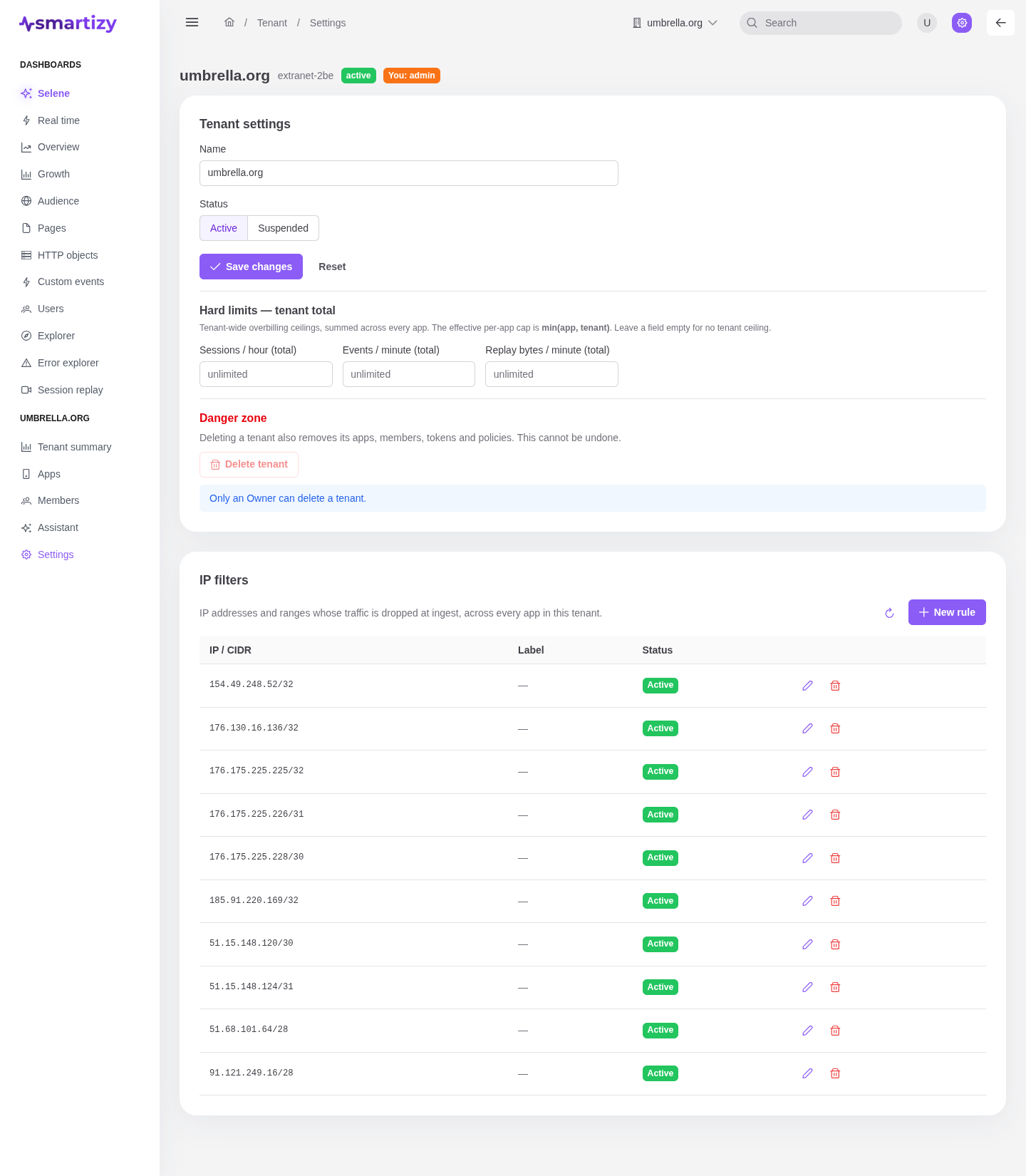
Tenant settings hold the workspace's name and status, plus tenant-wide ceilings that protect every app at once against runaway volume and overbilling. They live on the tenant Settings page.
Tenant settings #
The top of the page edits the tenant's basics. You need the Admin role to change them.
| Setting | What it does |
|---|---|
| Name | The tenant's display name, shown in the topbar switcher and across the console. |
| Status | Active for normal operation, or Suspended to pause the tenant. A suspended tenant stops accepting new traffic. |
Tenant-wide hard limits #
These ceilings are summed across every app in the tenant. Leave a field empty for no tenant ceiling.
| Limit | What it caps |
|---|---|
| Sessions / hour (total) | New sessions admitted per hour across all apps. |
| Events / minute (total) | Events accepted per minute across all apps. |
| Replay bytes / minute (total) | Session-replay bytes accepted per minute, at least 1024 (one replay chunk). |
How caps combine #
Each app also sets its own ceilings under Ingest policies. The two stack: the effective cap for an app is the lower of the two, min(app, tenant). Use the tenant limits as a safety net for the whole account, and the per-policy limits to ring-fence an individual app or environment.
Per-pod caps #
Danger zone #
Deleting a tenant is Owner-only and irreversible. It also removes the tenant's apps, members, tokens, and policies. The delete button is disabled for anyone below Owner.