Ingest tokens
An ingest token is the secret the SDK presents so the receiver knows the beacons are yours. Tokens live per app, and you create, revoke, and rotate them in the console without touching your code.
What a token is #
The snippet sends a token on every POST /v1/events. The receiver hashes the presented
value and matches it against the app's stored tokens; a beacon with no valid token is rejected. A
token authenticates the SDK, so a leaked one is contained by revoking it, not by redeploying your
site.
Create a token #
You need the Admin role to manage tokens.
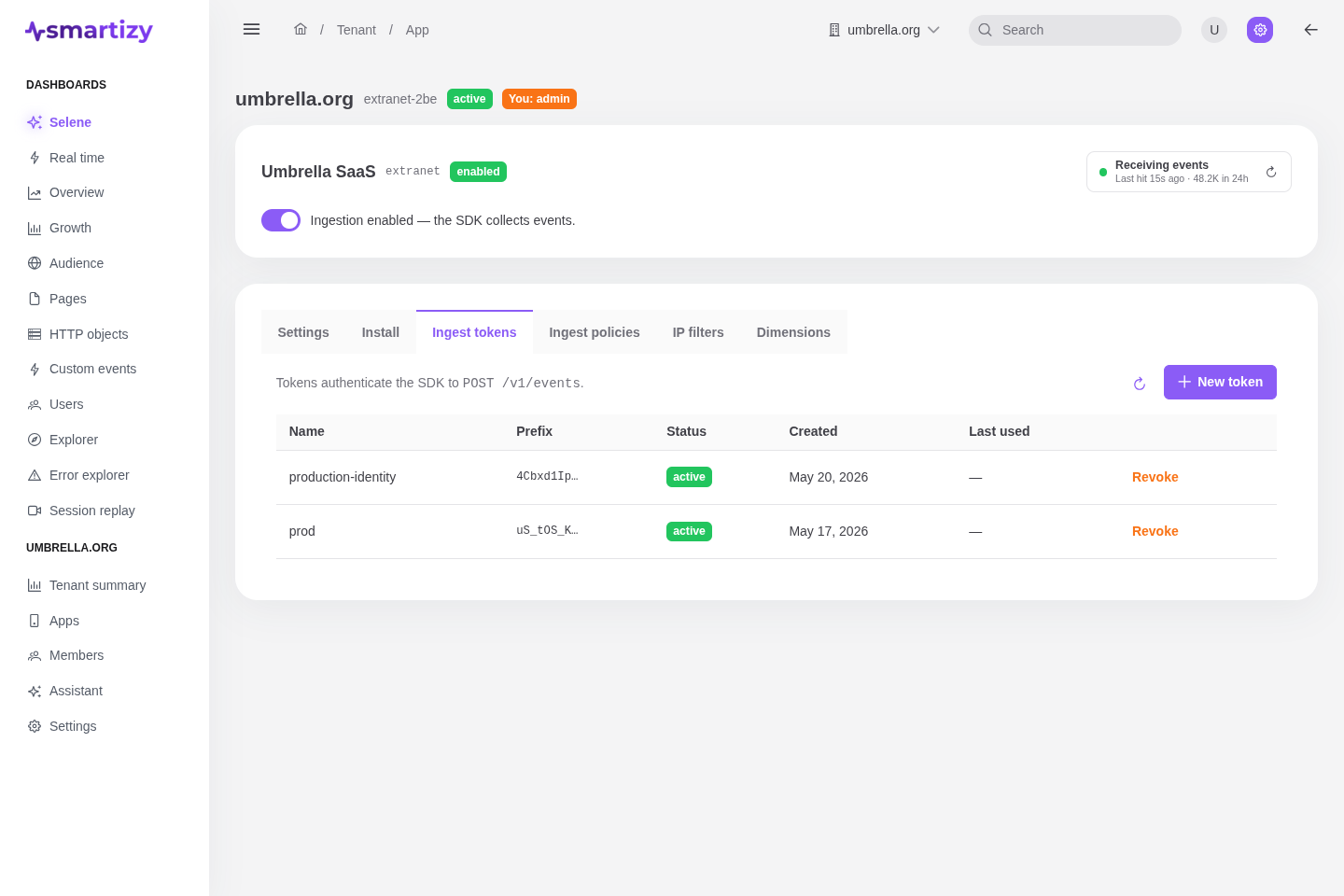
- Open the app, select the Ingest tokens tab, and click New token.
- Give it a descriptive name, for example
production-web, so you can tell tokens apart later. Names are unique per app. - Create it. The plaintext secret is shown once, in a reveal dialog. Copy it then.
The token goes into the token field of amb('init', { ... }). See
Configure the SDK for where it sits in the snippet.
The display prefix #
After creation the token list shows a short prefix instead of the secret, for example
a1b2c3d4…. The prefix is display-only: it lets you recognise a token at a glance and
match it to the value you stored, without exposing the secret. The list also shows when each token
was last used to authenticate a beacon.
Revoke vs delete #
There are two ways to retire a token. Prefer revoke.
| Action | Effect | Who |
|---|---|---|
| Revoke | The token stops authenticating immediately, but stays on record as a revoked token, so the audit trail is preserved. Revoking is idempotent. | Admin |
| Delete | The token is removed entirely and leaves no audit trail. Use it only to clean up tokens that were never deployed. | Owner |
Rotating tokens #
To rotate a token without a collection gap, overlap the old and new ones:
- Create a new token and copy its secret.
- Deploy your site with the new token in the snippet.
- Confirm beacons are landing under the new token (the ingest activity badge keeps moving).
- Revoke the old token.
Rotate after a suspected leak, when someone with access leaves, or on a routine schedule for high-value apps.