Apps
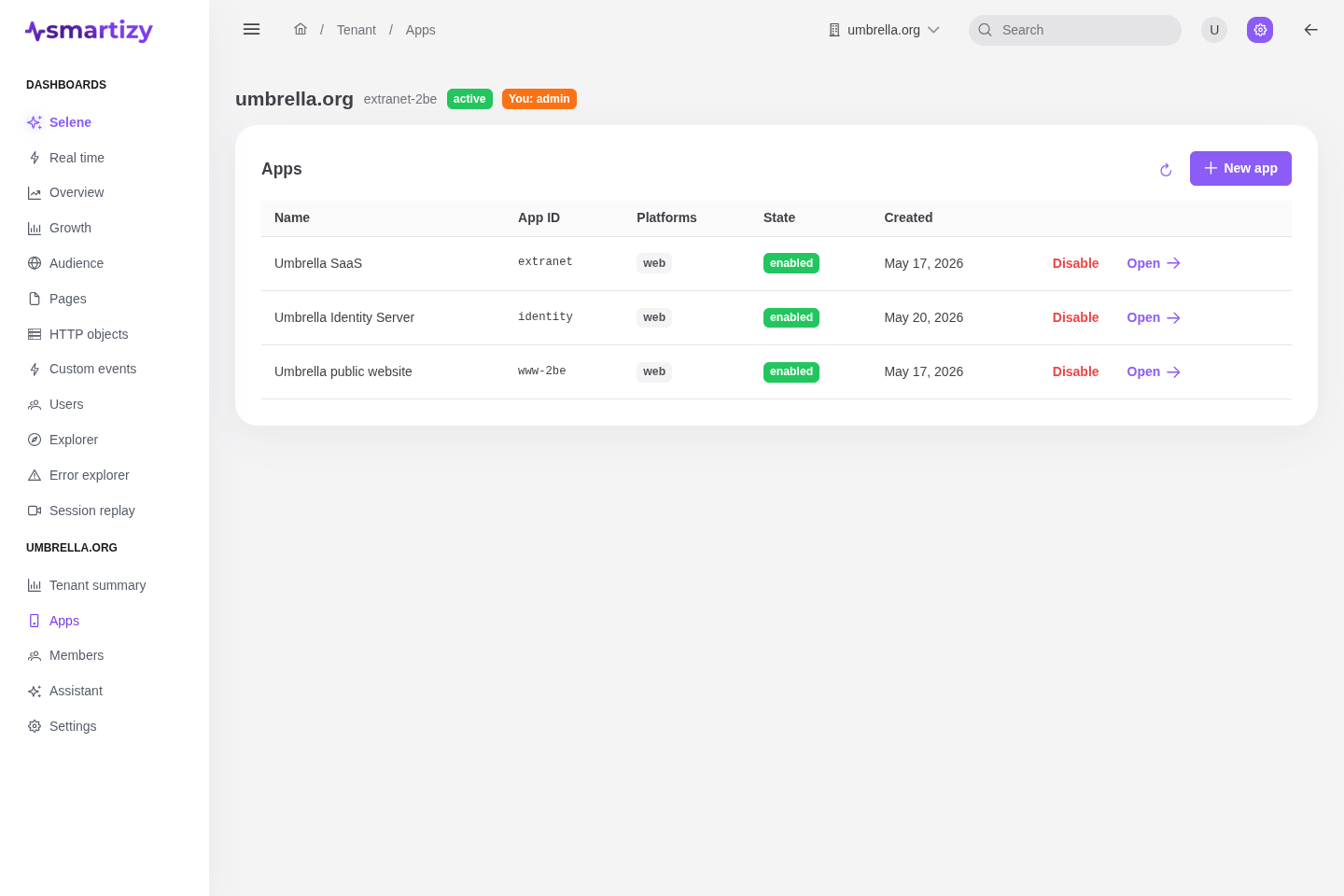
An app is one site or product you measure. Every beacon is attributed to its app ID, and an app carries its own settings, tokens, policies, dimensions, and IP filters.
Create an app #
You need the Admin role to create apps.
- Open Apps in your tenant and click New app.
- Choose an app ID: 3 to 64 characters, lowercase letters, digits,
-or_, not starting or ending with a separator. This slug is what the snippet sends on every beacon, and it cannot be changed afterwards, so pick it deliberately. - Give the app a name and, optionally, a description.
- Select the platforms it runs on (Web, Android, iOS). At least one is required; keep Web for browser instrumentation.
Enable & disable ingestion #
Each app has a kill-switch. From the Apps list, use the Enable or Disable action on a row, or flip the toggle in the app header on the detail page. When ingestion is disabled the SDK stops collecting and the receiver drops events for the app, so it is the fastest way to halt a noisy or misconfigured integration without touching your site's code.
The Settings tab #
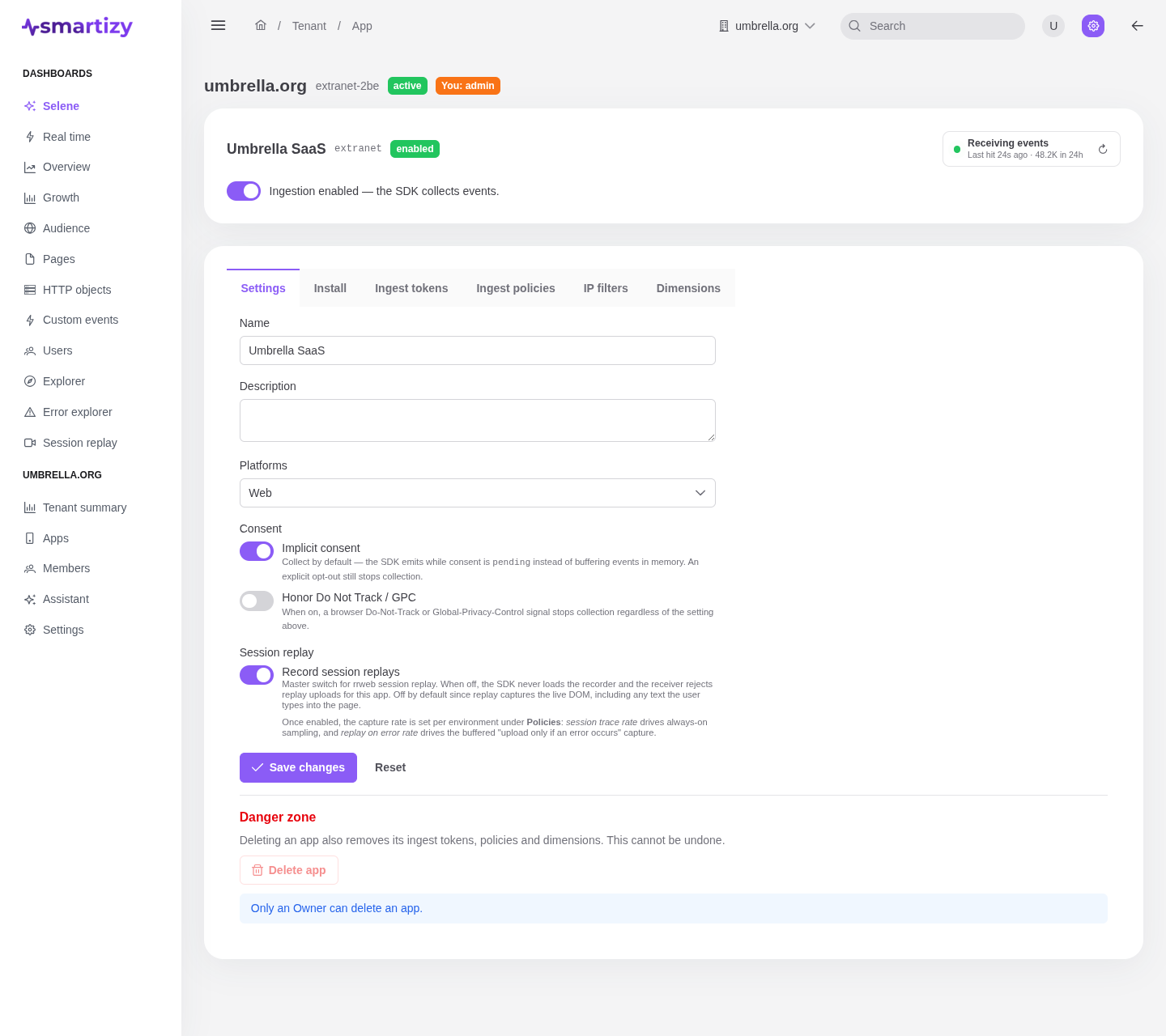
Open an app and select the Settings tab to edit its core fields and privacy behavior.
| Setting | What it does |
|---|---|
| Name | The display name shown across the console. Editable, unique within the tenant. |
| Description | Optional free text to remind your team what the app covers. |
| Platforms | Which platforms this app collects from. At least one must stay selected. |
| Implicit consent |
When on, the SDK collects by default: it emits while consent is pending
instead of buffering events in memory. An explicit opt-out still stops collection.
|
| Honor Do Not Track / GPC | When on, a browser Do-Not-Track or Global-Privacy-Control signal stops collection regardless of the consent setting above. |
| Record session replays | The master switch for rrweb session replay. When off, the SDK never loads the recorder and the receiver rejects replay uploads for this app. Off by default, because replay captures the live DOM, including text the user types. Once enabled, the capture rate is set per environment under Policies. |
Ingest activity badge #
The app header carries a live ingestion indicator that answers "is this app's collection working?". It polls the receiver every 30 seconds and shows the age of the most recent beacon next to a colour-coded dot:
- Receiving events (green, pulsing): a beacon arrived in the last five minutes.
- Recently active (amber): the last beacon was within 24 hours.
- No recent events or No events yet: nothing recent, or nothing ever.
It also reports counts for the last hour and last 24 hours. If the analytics backend cannot be reached the badge degrades to a neutral "unavailable" state rather than failing the page.
Delete an app #
Deletion is Owner-only and lives in the Settings tab's danger zone. Deleting an app also removes its ingest tokens, policies, and dimensions. It cannot be undone.